
[Manual] tab provides a function to generate defects according to the defect shape drawn by users for each defect on the template image.
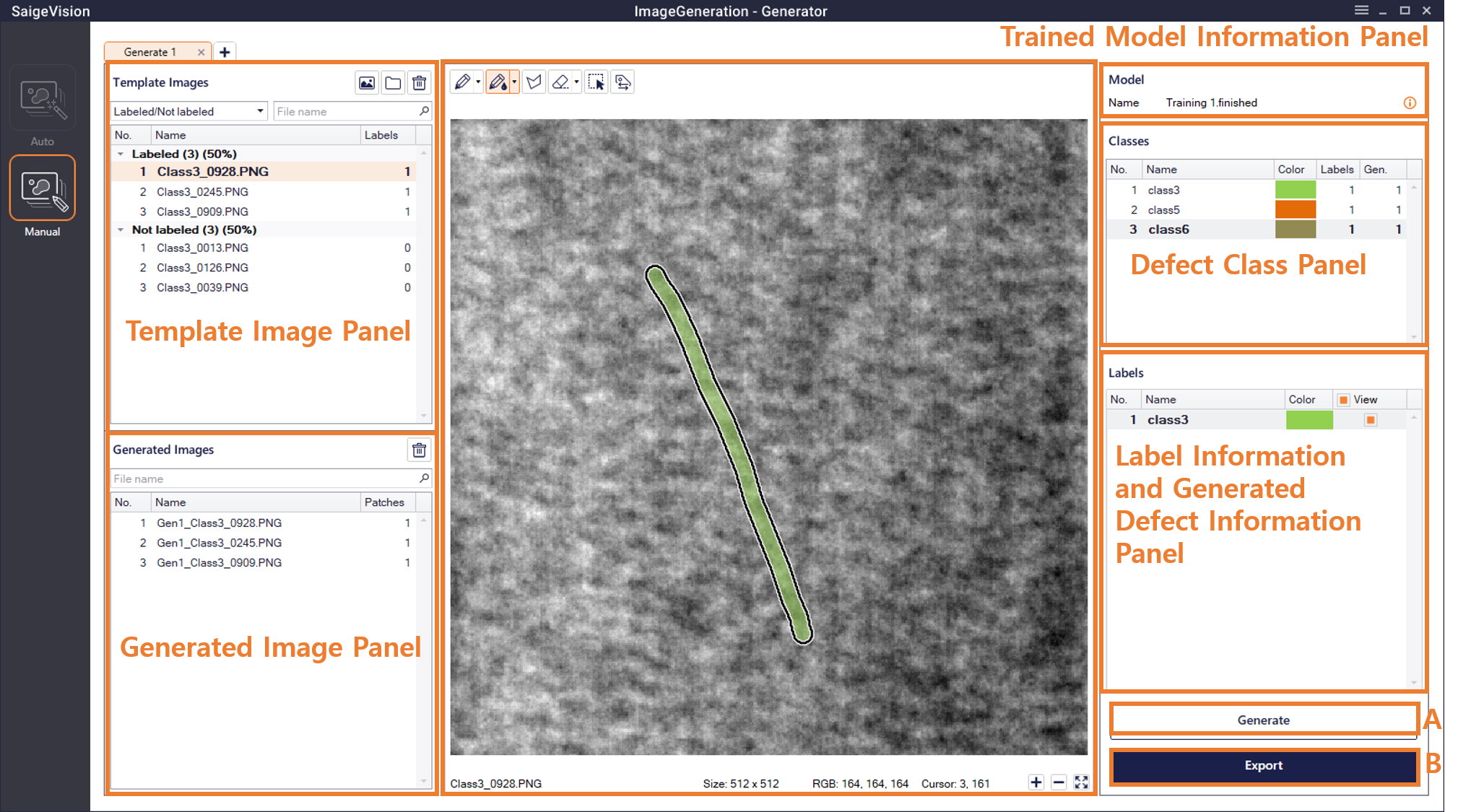
Template Image Panel (Template Images)
This shows a list of template images that have been imported.
Defect Shape Labeling to Generate (Template Images) and Generated Defect Patch Modification (Generated Image) Panel
This selects the defect class to generate in the Defect Class panel, and draws its shape on each image.
Trained Model Information Panel
Users can change the trained model by selecting the model by clicking  button in the upper right of the Trained Model Information panel. This feature is useful when generating defects using different models with drawn labels.
Generate Button and Pop-up
Clicking the Generate button brings up the following pop-up.
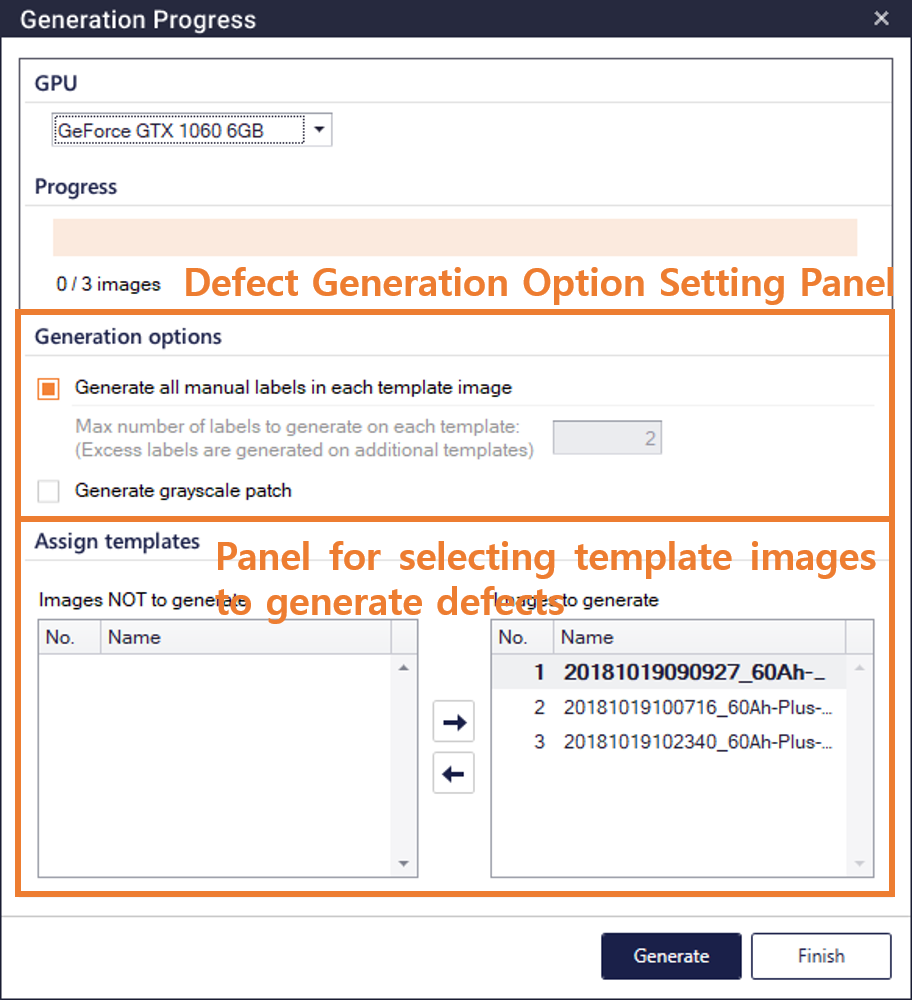
 : When this is checked, defects are generated in each template according to the defects drawn by users.
 : If the above item is not checked, users set the maximum number of defects to generate for each template. If the number of defects drawn by users is greater than the set value, the excess defects are generated by copying the corresponding template. (Example: when the number of defects drawn by users is 3 and the set value is 1, three images with one defect are generated).
Generate grayscale patch: When this is checked, a gray scale defect patch is generated.
After setting the option, users select template images to generate defects among the labeled template images, and then click the Generate button at the bottom to generate the images.
Defect Class Panel (Classes)
This is the same as the Defect Class Panel in Generator - [Auto].
Generated Defect Information Panel (Patches)
This is the same as the Generated Defect Information Panel in Generator - [Auto].
Save and Load Tabs
Users can save the tab which completed the inspection as a file in .srGenManualTab format by right-clicking the tab, or clicking the Save Current Tab button in the top right menu. Saved tabs can be loaded by clicking the Add Tab button (  ), and then clicking the Load Tab button(
 ).
Export
This is the same as the Export in Generator - [Auto].