
[Database] provides a function to prepare data to be used for training. When a product is added to the Product List panel, an image is loaded for each product, and segmentation labeling is performed on each image.
Caution
All products should have at least one OK image and one defect image.
The following is the description of the detailed function and structure of Developer – [Database] tab.
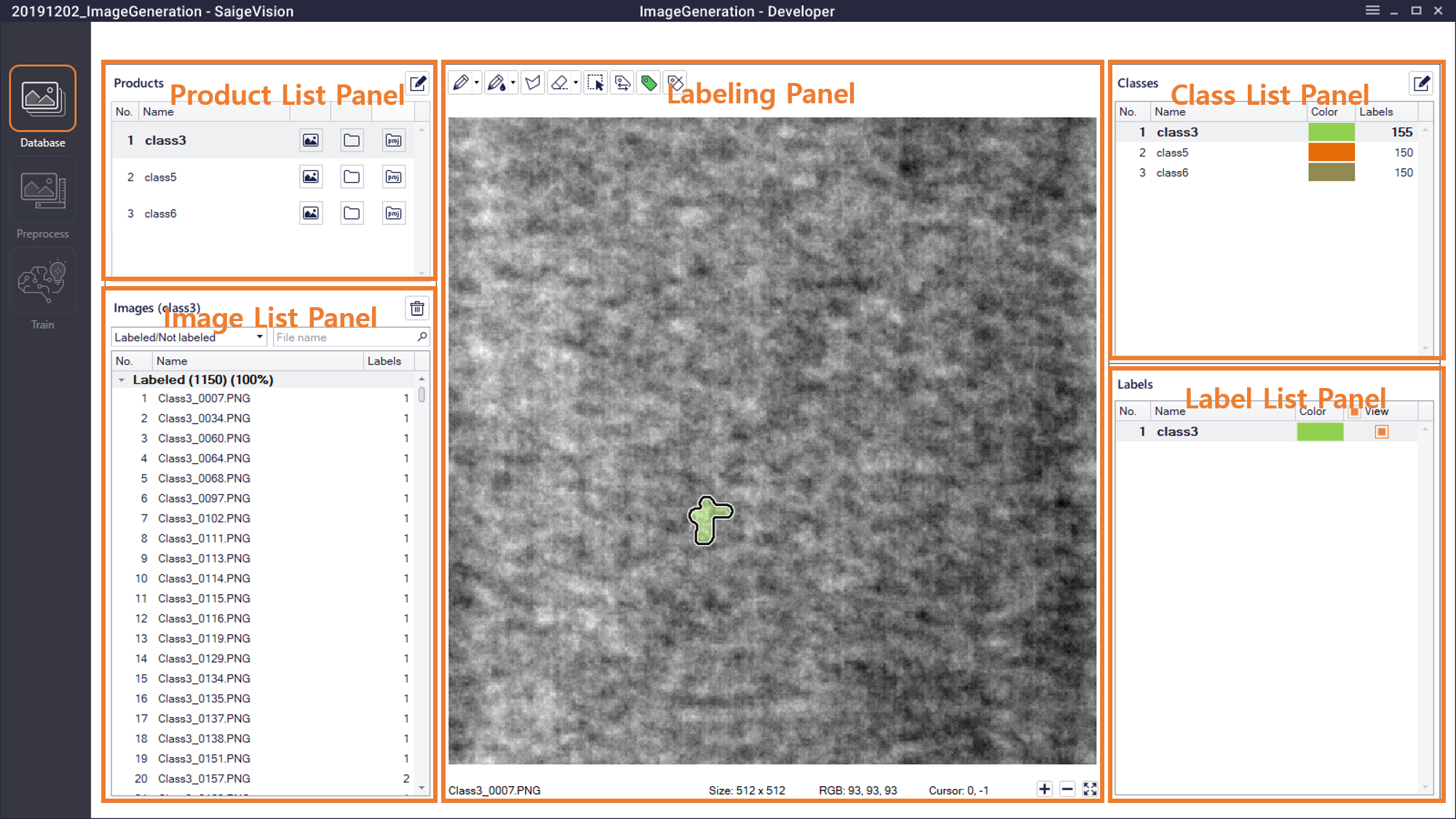
Product List Panel (Products)
Here, users can import the products to generate defects, and images are managed for each product.
 : Click here to open the Edit Products window where users can add and modify the products to generate defects.
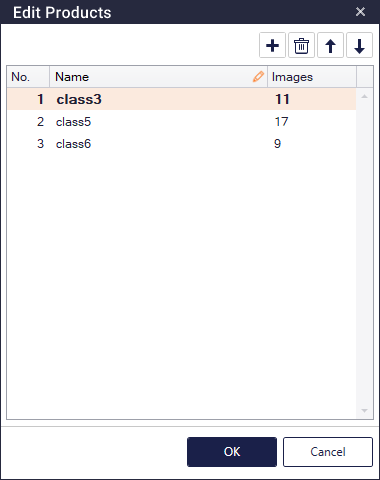
 : Click here to add a new product.
 : After selecting (multiple) products and click here to remove the selected products.
 /
 : After selecting a product, click to change the product number and location.
- After selecting a product, press F2 or double-click the name to edit the name of the defect class.
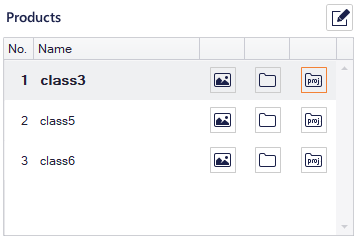
When adding a product, users can import images for each product.
 : Click here to load designated images.
 : Click here to load all images in the designated folder.
 : The usage of this button is the same as the Image List Panel of the Defect Inspection mode. In a Image Generation project, a project or tab file of the Segmentation can only be imported.
Image List Panel (Images)
This panel is for managing the list of images imported for each product, the usage of which is the same as the Image List Panel of the Detection and Segmentation mode.
Class List Panel (Classes)
This panel is the same as the Class List Panel of the Defect inspection mode.
Labeling Panel
This panel is the same as the Labeling Panel of the Detection and Segmentation mode.
Label List Panel (Labels)
This panel is the same as the Label List Panel of the Segmentation mode.
Caution
Every product must have at least one defect label and an OK image labeled with.