AnomalyDetection.h
Go to the source code of this file.
Anomaly Detection은 정상 이미지만을 가지고 학습하여 비정상 이미지와 해당 영역을 검출하는 기능입니다.
SAIGE VISION에서는 Anomaly Detection의 비정상 영역을 SaigeSegmentedObject 구조체, 즉 Contour 형태로 검출합니다. 따라서, Segmentation 기능과 유사하며 추가적으로 비정상 이미지 여부와, 이미지 전체의 비정상 점수를 제공합니다.
추론 옵션
Anomaly Detection 의 추론 결과인 Mask, Object, 그리고 Heatmap을 계산 여부를 설정할 수 있습니다. Scoremap은 기본적으로 계산되며, 계산하지 않도록 설정할 수 없습니다.
143
144
145
146
147
148
149
150
151
152
153
154
155
156
157
158
159
160
161
162 | // ExampleIADRuntime.cpp:145
options->calcScoremap = true;
options->calcHeatmap = true;
options->calcMask = true;
options->calcObject = true;
options->calcObjectAreaAndApplyThreshold = true;
options->calcObjectScoreAndApplyThreshold = true;
unsigned int flags = SAIGE_SET_CALC_SCOREMAP | SAIGE_SET_CALC_HEATMAP |
SAIGE_SET_CALC_MASK | SAIGE_SET_CALC_OBJECT |
SAIGE_SET_CALC_OBJECT_AREA_AND_APPLY_THRESHOLD |
SAIGE_SET_CALC_OBJECT_SCORE_AND_APPLY_THRESHOLD;
retval = SaigeSetInferenceOption(handle, options, flags);
if (retval < 0) {
std::cerr << "SaigeSetInferenceOption() failed - " << SaigeStrError(retval)
<< std::endl;
SaigeDestroyInferenceHandle(handle);
SaigeDestroyInferenceResult(result);
return retval;
}
|
See also:
Heatmap
Anomaly Detection에서는 Scoremap을 Heatmap으로 색상을 입힐 수 있습니다. Anomaly Detection의 Score는 다른 기능과는 다르게 0 이상의 실수 자료형으로 표현됩니다. 따라서 색상 영역에 대응되는 Score 최대, 최소값을 설정할 수 있습니다. 학습된 모델에는 적당한 Score 범위를 계산하여 이미 설정되어있으나, 뚜렷하게 보이지 않는 경우에 범위를 조정할 수 있습니다.
182
183
184
185
186
187
188
189
190
191
192
193 | // ExampleIADRuntime.cpp:184
options->heatmapColorRangeMin = 1.0;
options->heatmapColorRangeMax = 2.5;
retval = SaigeSetInferenceOption(handle, options, SAIGE_SET_HEATMAP_COLOR_RANGE);
if (retval < 0) {
std::cerr << "SaigeSetInferenceOption() failed - " << SaigeStrError(retval)
<< std::endl;
SaigeDestroyInferenceHandle(handle);
SaigeDestroyInferenceResult(result);
return retval;
}
|
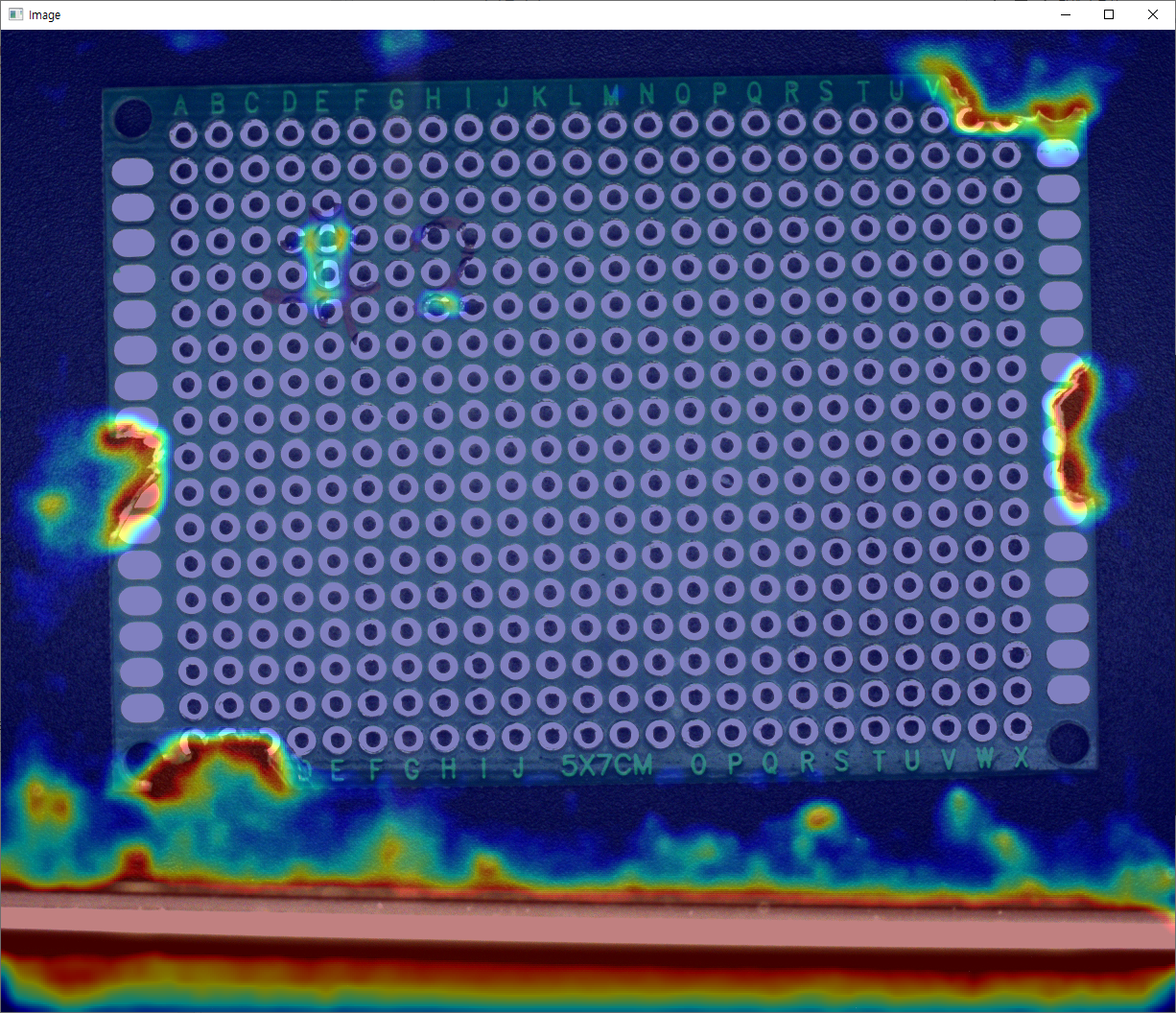
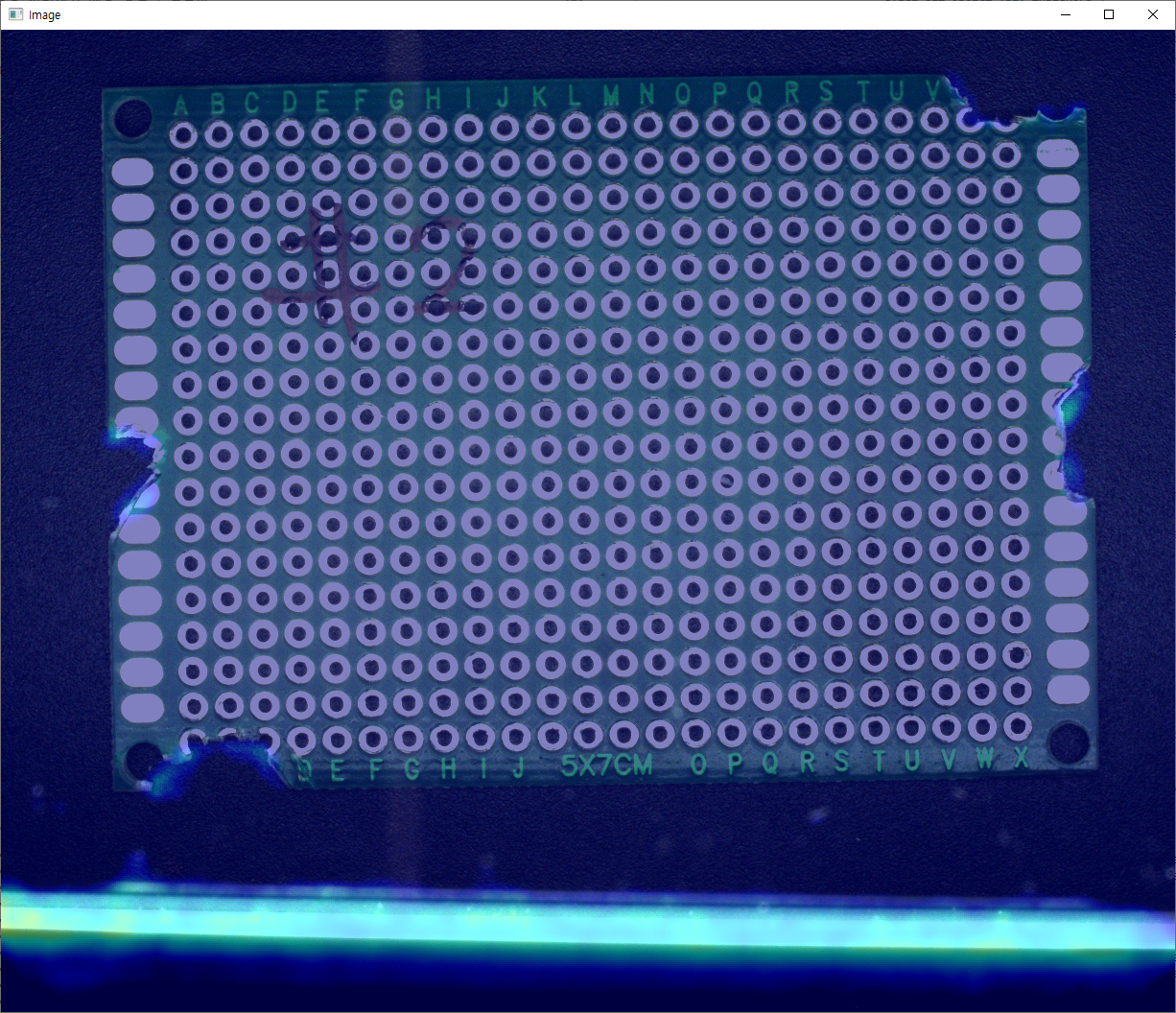
See also: SaigeInferenceOption::heatmapColorRangeMin, SaigeInferenceOption::heatmapColorRangeMax
추론 결과
Anomaly Deetection의 기본 추론 결과로 isNg, anomalyScore, scoreMin, scoreMax를 받아올 수 있습니다.
288
289
290
291
292
293
294
295
296
297
298
299
300
301
302
303
304
305
306 | // ExampleIADRuntime.cpp:290
// DEFAULT
retval = SaigeGetInferenceResultAnomalyScores(result, &anomalyScore, &scoreMin, &scoreMax);
if (retval < 0) {
std::cerr << "SaigeGetInferenceResultAnomalyScores() failed - " << SaigeStrError(retval)
<< std::endl;
SaigeDestroyInferenceHandle(handle);
SaigeDestroyInferenceResult(result);
return retval;
}
retval = SaigeGetInferenceResultIsNg(result, &isNg);
if (retval < 0) {
std::cerr << "SaigeGetInferenceResultIsNg() failed - " << SaigeStrError(retval)
<< std::endl;
SaigeDestroyInferenceHandle(handle);
SaigeDestroyInferenceResult(result);
return retval;
}
|
See also: SaigeGetInferenceResultAnomalyScores, SaigeGetInferenceResultIsNg
ScoremapIAD
Anomaly Detection의 추론 결과인 Scoremap은 0 이상의 실수를 표현하도록 float 배열로 표현됩니다.
333
334
335
336
337
338
339
340
341
342
343
344
345
346 | // ExampleIADRuntime.cpp:335
retval = SaigeGetInferenceResultScoremapIAD(result, &scoremap);
if (retval < 0) {
std::cerr << "SaigeGetInferenceResultScoremapIAD() failed - "
<< SaigeStrError(retval) << std::endl;
SaigeDestroyInferenceHandle(handle);
SaigeDestroyInferenceResult(result);
return retval;
}
if (verbosity >= 4) {
SaigeShowImage(scoremap, w, h, 1, SaigeImageType::SV_F32, false, false,
1 / scoreMax, waitkeyMilliSecond);
}
|
See also: SaigeGetInferenceResultScoremapIAD
그 밖에 Mask, Object, Heatmap 등의 결과는 예제 코드 및 API 문서를 참고하기 바랍니다.
See also: SaigeGetInferenceResultMask, SaigeGetInferenceResultSegmentedObject, SaigeGetInferenceResultHeatmap