
Navigate back: Modules
What is Segmentation?
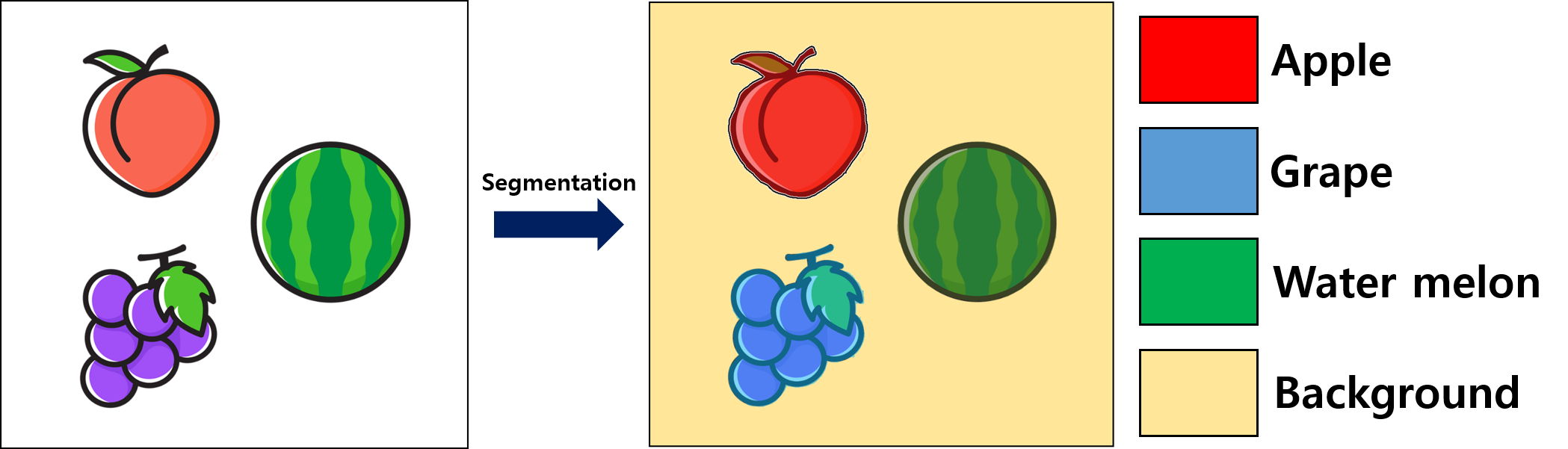
Segmentation divides an image into sets of pixels. First, Segmentation classifies each pixel into given classes (background, class1, class2, ...).
After that, the pixels belonging to the same class and attached to each other are combined into one object (SR_SegmentedObject) and then provided to users.
Detailed process is described in the below figure.
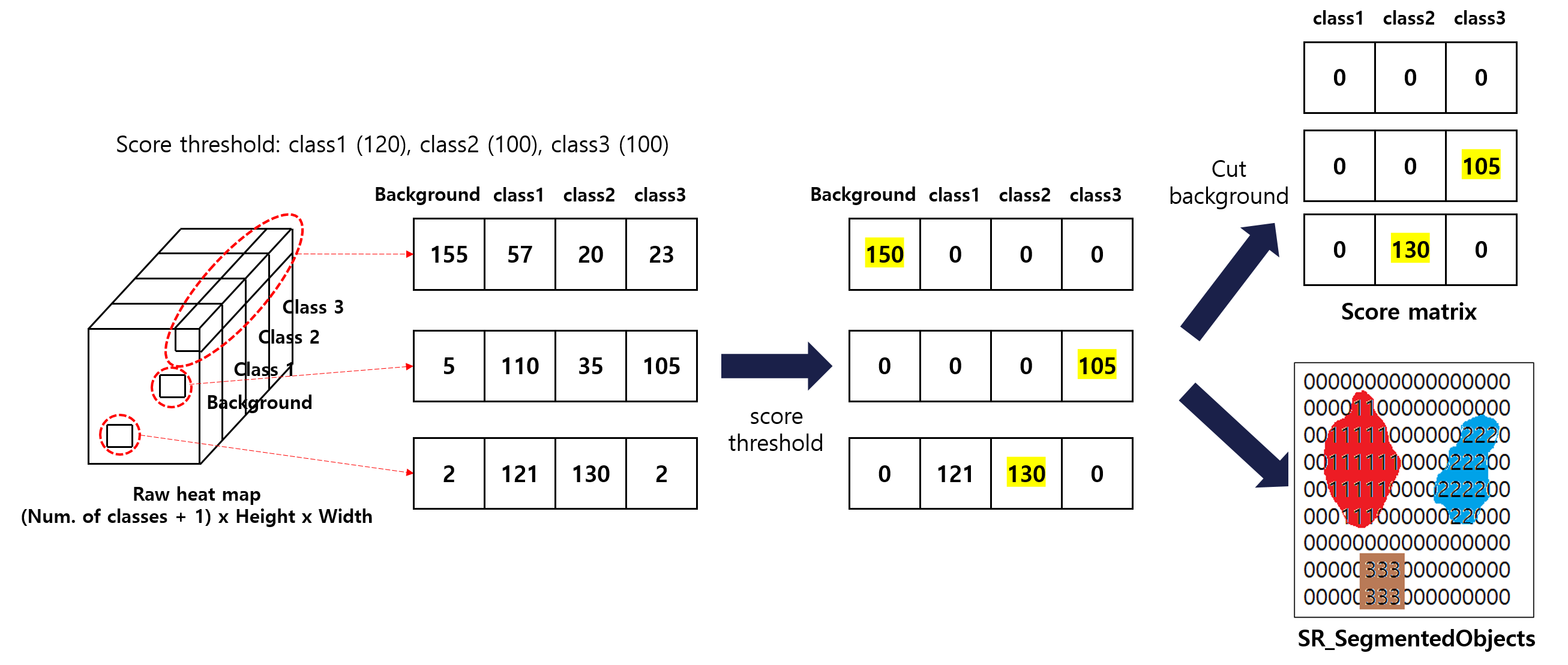
- The trained deep neural network predicts the raw heat map
- shape: (Number of classes + 1) x height x width.
- i-th channel, j-th rows, k-th cols: the probability that the pixel (j-th rows, k-th cols of image) is classified into i-th class (if i == 0, it means background).
- Segmentation's score threshold is applied to raw heat map.
- The only highest value along the channel axis is survived and the correspoding pixel is classifed into the index of the highest value.
Post-processing for final results
- Erase background channel
- The matrix results is called
score matrix in the following sections.
- After step 3, each pixel has its own class. From that point, we can combine the pixels belonging to the same class and attached to each other into one object.
See Segmentation's inspection results.
Workflow for Detection
The workflow of Segmentation is not much different from the basic's. Make sure you have first read Common workflow. This section offers only Segmentation -specific workflow.

- Construct handles of model file and inspection results through Segmentation's handle construction.
- (Optional) Check Segmentation's class information.
- (Optional) Check Inspection options and set new values.
- Allocate memory on cpu and gpu through Memory-allocation functions.
- Inspect images through Segmentation's inspection functions.
- Retrieve inspection results through Segmentation's inspection results.
- Destruct handles of model file and inspection results through Segmentation's handle destruction.
Examples