SaigeVision ImageProcess Installation
준비물
- 설치파일: SaigeVision.ImageProcess.msi
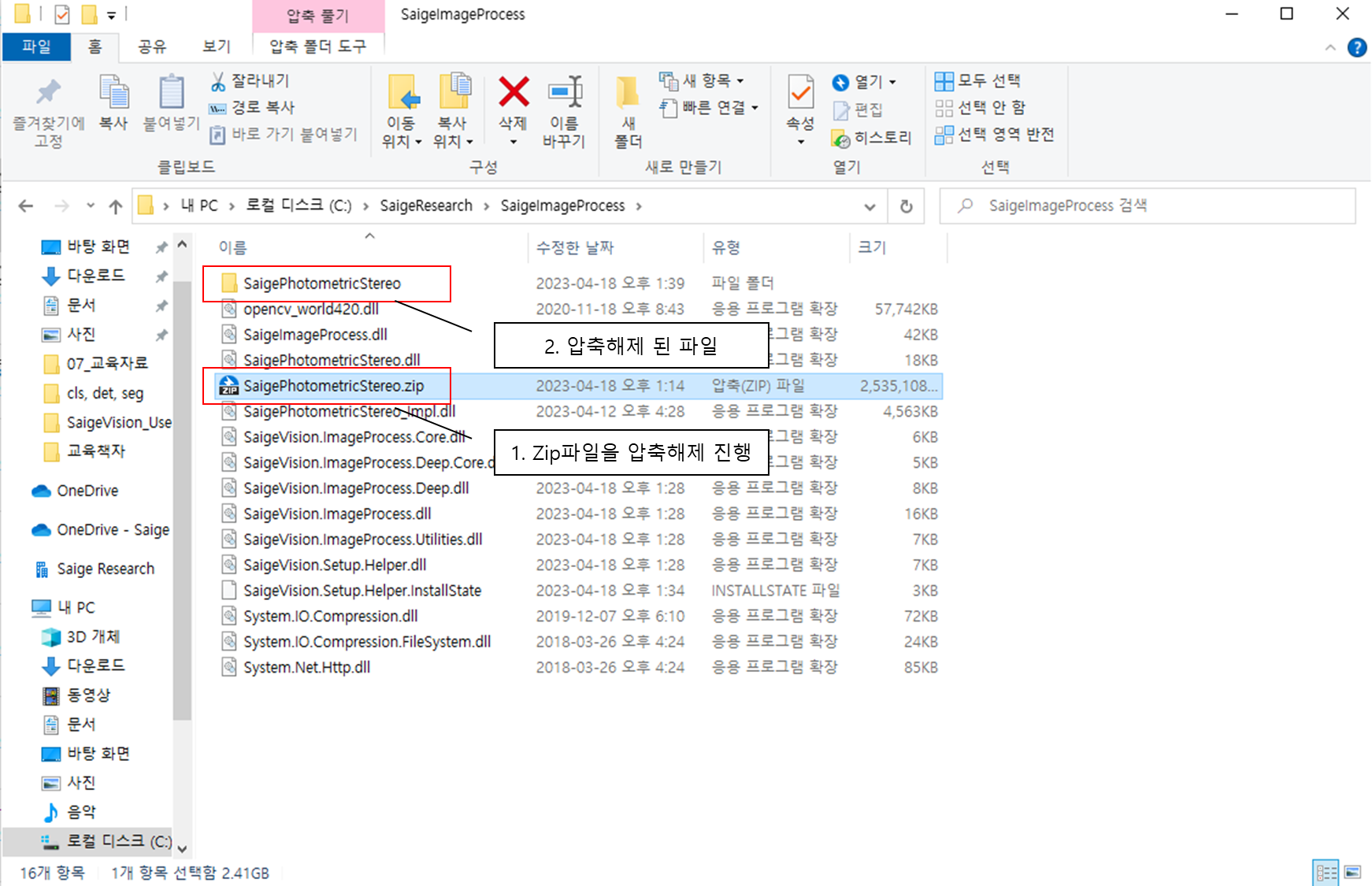
- 압축파일: SaigePhotometricStereo.zip
설치
- SaigeVision.Imageprocess.msi 파일을 이용하여 설치를 진행합니다.
- 해당 msi 파일을 실행 시 아래와 같은 설치 과정이 진행됩니다.
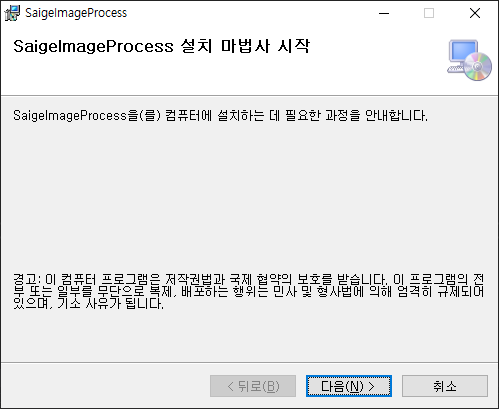
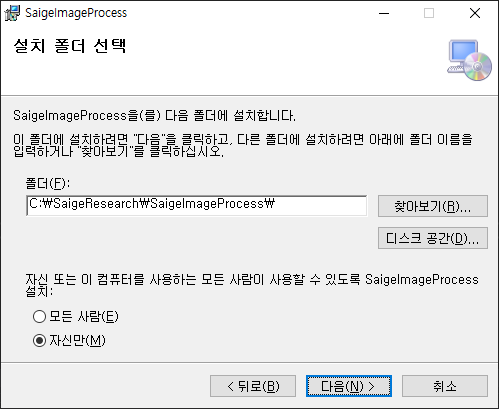
3. 설치 시 설치 경로를 기억해두어야 합니다
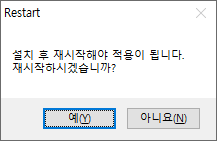
4. 설치가 완료되었을 때 재시작을 해주세요 (PC 재시작 후 설정 적용)
- 압축파일 SaigePhotometricStereo.zip 을 설치 경로에 압축해제 작업을 진행합니다.
SaigeVision ImageProcess Library 사용 방법
설치된 경로에 아래 dll 파일을 참조하여 사용하시면 됩니다.
SaigeImageProcess.dll: rule-based 처리를 위한 dll (지원하는 기능 FindCircle, FindLine, Synthesis) SaigeImageProcess.Core.dll: rule-based 처리를 위하여 Core 기능 SaigeImageProcess.Deep.dll: Photometric Stereo 처리를 위한 dll SaigeImageProcess.Deep.Core.dll: Photometric Stereo 처리를 위한 Core 기능
필요에 따라 2개 (name.dll, name+Core.dll) 를 한쌍으로 참조하여 사용할 수 있습니다.